
Last updated: October 9, 2026 · Last tested: October 6, 2026 · Skill level: beginner to advanced.
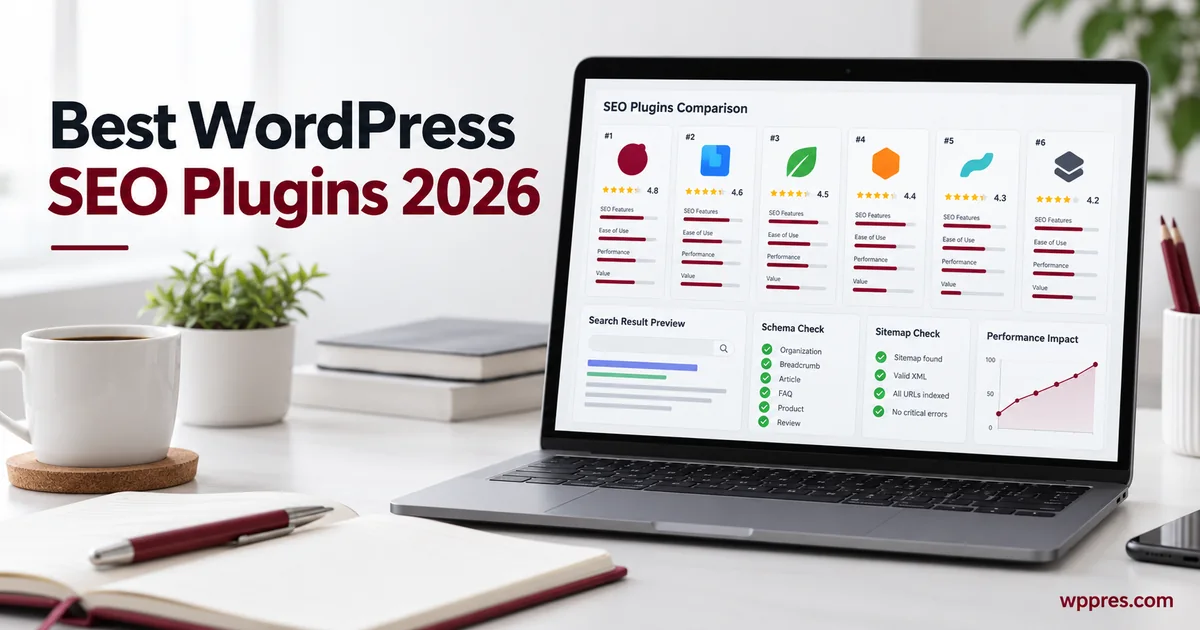
Rank Math is the best WordPress SEO plugin for most site owners in 2026 because its free version combines broad technical controls with schema, redirections, keyword tracking and newer AI-facing tools. Choose Yoast for the most familiar editorial workflow, SEOPress for agency pricing and white-label control, AIOSEO for guided business features, The SEO Framework for a quiet minimal interface, or Slim SEO for automatic setup.
There is no universal winner. Your best choice depends on how much control you need, who edits the site, whether you manage clients, and whether local, WooCommerce or AI features justify a paid plan. This guide compares the six plugins on current versions, public pricing and a repeatable clean-site test.
The best WordPress SEO plugins at a glance
| Rank | Plugin | Best for | Free version | Paid from* | Current version |
|---|---|---|---|---|---|
| 1 | Rank Math | Best overall feature set | Yes | €7.99/month, annual billing | 1.0.280 |
| 2 | Yoast SEO | Beginners and editorial teams | Yes | $118.80/year for one site | 28.6 |
| 3 | SEOPress | Agencies, privacy and white label | Yes | $49/year for one site | 10.3 |
| 4 | All in One SEO | Local, ecommerce and guided setup | Yes | $49.50 first year; $99 renewal | 5.0.2.1 |
| 5 | The SEO Framework | Minimal, developer-friendly automation | Yes | $7/month, paid yearly | 5.1.4 |
| 6 | Slim SEO | Lightweight automatic configuration | Yes | Optional paid extensions | 4.11.0 |
*Public prices checked October 6, 2026. Promotions, tax, renewal rates, AI credits and site limits vary. Verify the checkout terms before buying.
How we tested these SEO plugins
We installed each plugin separately on a fresh WordPress 7.1.2 site running PHP 8.3 in the official WordPress Playground CLI. After activation, we warmed the default homepage and measured 11 requests. We recorded median and 90th-percentile server response time, HTML size, canonical output and sitemap behavior. We also checked the current WordPress.org version, compatibility declaration, installation count and rating.
- A new WordPress environment for each plugin, with the default theme and sample content.
- One SEO plugin active at a time; no page cache or performance plugin.
- Default activation state, without completing optional onboarding or connecting an account.
- Eleven warmed homepage requests; median and P90 reported.
- Manual review of official feature, pricing and documentation pages.
This is a controlled activation test, not a production speed ranking. WordPress Playground runs in WebAssembly, so the absolute milliseconds should not be compared with hosting results. Setup wizards also matter: Rank Math did not output a canonical before its setup was completed, while Yoast, SEOPress, The SEO Framework and Slim SEO did. AIOSEO entered a redirect loop in our automated default-state test, so we report the failure instead of inventing a timing result. Test your chosen plugin again on staging with its real modules enabled.
Performance results from the clean-site test
| Plugin | Median | Change vs baseline | P90 | Default canonical | Sitemap observed |
|---|---|---|---|---|---|
| No SEO plugin | 741.7 ms | Baseline | 1,008.1 ms | No | WordPress core sitemap |
| The SEO Framework | 798.2 ms | +56.5 ms | 1,089.7 ms | Yes | Plugin sitemap index |
| Slim SEO | 822.0 ms | +80.3 ms | 884.0 ms | Yes | No working sitemap in this run |
| SEOPress | 972.4 ms | +230.7 ms | 1,303.9 ms | Yes | Plugin sitemap index |
| Yoast SEO | 1,286.4 ms | +544.7 ms | 1,570.1 ms | Yes | Plugin sitemap index |
| Rank Math | 1,292.9 ms | +551.2 ms | 1,445.7 ms | No before setup | WordPress core sitemap |
| All in One SEO | Test did not complete | — | — | — | Redirect loop after activation |
The useful conclusion is narrower than a winner badge: The SEO Framework and Slim SEO added the least median time in this exact activation-only test. That does not prove they will be fastest on your site, because feature modules, database size, content analysis, logged-in screens and external services were outside the test. For a broader method, see our WordPress plugin performance test and WordPress performance optimization guide.
1. Rank Math — best WordPress SEO plugin overall
Rank Math is our first choice for site owners who want the broadest free toolkit and are willing to configure it carefully. Its modular interface covers titles and meta descriptions, XML sitemaps, schema, redirections, breadcrumbs, Search Console connections and WooCommerce settings. Recent additions include Content AI, AI Link Genius, AI Visibility tools, an MCP integration and support for creating an llms.txt file.
The free version is unusually capable, which makes Rank Math suitable for growing blogs and small businesses that would otherwise combine several plugins. The tradeoff is density. A long feature list creates more settings to understand, and optional account-connected or AI features introduce separate data and credit considerations.
What Rank Math does well
- Strong free technical SEO controls, schema tools and redirect management.
- A module system that lets you disable features you do not use.
- Good fit for WooCommerce, local SEO and content teams wanting in-editor guidance.
- Forward-looking WordPress integrations including MCP tools and llms.txt controls.
Where Rank Math needs care
Complete the setup wizard and verify the front-end output before launch. In our untouched activation state, the homepage had no plugin canonical and still used the core sitemap. That result reflects incomplete setup, not the configured product. Enable only the modules the site needs, review who can access connected services and confirm whether AI usage is included in your plan.
Rank Math PRO was advertised at €7.99 per month with annual billing when checked, with a higher stated renewal rate. Business and Agency plans raise the client-site and tracked-keyword limits. Compare the exact current checkout values because promotions change. For a focused feature comparison, read Yoast SEO vs Rank Math.
2. Yoast SEO — best for beginners and editorial teams
Yoast SEO is the safest familiar choice for teams that value a mature editorial workflow, extensive documentation and predictable front-end output. Its traffic-light analysis is widely understood, and the plugin handles canonical URLs, XML sitemaps, schema integration, breadcrumbs and social metadata with relatively little technical knowledge.
Yoast Premium adds redirect management, internal-link suggestions, AI-assisted titles and meta descriptions, and access to Local, Video and News SEO features in the current bundle. The public price we checked was $118.80 per year excluding VAT for one site. That is higher than several competitors, especially for agencies managing many small websites.
What Yoast does well
- Clear editing feedback for writers and nontechnical site owners.
- Mature canonical, sitemap and schema output with extensive documentation.
- A very large install base, which makes tutorials and integrations easy to find.
- Premium bundle covers redirects and several specialized SEO extensions.
Where Yoast needs care
Do not write for a green light at the expense of clarity. The analysis is a checklist, not a ranking algorithm, and repeated keyword placement can make copy worse. Our clean test also showed more activation overhead than the minimalist plugins, although production results can differ. Teams should decide which feedback matters to their editorial standard and hide panels they do not use.
3. SEOPress — best for agencies, privacy and white label
SEOPress is the strongest value for agencies that want a clean interface, white-label control and predictable multi-site pricing. The free plugin covers core metadata, XML and HTML sitemaps, content analysis and social previews. PRO adds advanced schema, redirects and 404 monitoring, local and WooCommerce features, white labeling, and AI integrations.
The official pricing page listed PRO at $49 per year for one site, $59 for five sites and $149 for unlimited sites, with renewals at the same price. That structure is easier to budget than a steep first-year discount. SEOPress documents integrations with OpenAI, DeepSeek, Claude, Gemini and Mistral, while its WordPress.org listing describes MCP tools and agent-readiness features.
What SEOPress does well
- Transparent annual pricing, including an unlimited-site plan for agencies.
- White-label options and a restrained interface for client handoff.
- Broad schema, local, ecommerce, redirect and audit features in PRO.
- Multiple AI-provider choices rather than a single locked workflow.
Where SEOPress needs care
Agency-friendly flexibility still requires governance. Decide which AI provider may receive content, store the related keys securely and document usage costs. Our default test produced a canonical and a working sitemap index, with a median between the minimalist plugins and the larger suites. Recheck performance after enabling analytics, AI and ecommerce modules.
4. All in One SEO — best for guided business features
All in One SEO is a good fit for businesses that want guided setup plus local, ecommerce, schema and link-management features in one commercial product. Its interface is designed around checklists and site-owner decisions, and the paid tiers scale from one site to agency use. The free version covers essential metadata and sitemaps, while higher plans unlock more schema, local SEO, redirects and WooCommerce controls.
AIOSEO advertised Basic at $49.50 for the first year with a $99 regular price, Plus at $99.50 with a $199 regular price, Pro at $199.50 with a $399 regular price, and Elite at $299.50 with a $599 regular price. Those promotional gaps make the renewal cost an essential part of comparison.
What AIOSEO does well
- Guided onboarding and checklists aimed at business owners.
- Broad local, WooCommerce, schema, redirect and internal-linking toolset.
- Clear tiers for one, three, ten and one hundred sites.
- Useful fit when one team wants a single supported suite rather than several add-ons.
Where AIOSEO needs care
Compare regular renewal pricing, not only the first-year promotion, and verify which tier contains each required feature. Our isolated automated test hit more than 30 redirects after activation, so we could not produce a responsible timing figure. A normal browser setup may resolve the onboarding path; the failure is still worth reproducing on staging before standardizing a deployment workflow.
5. The SEO Framework — best minimalist option
The SEO Framework is the best choice for developers and experienced site owners who want sensible automation with fewer prompts, banners and writing scores. It generates essential metadata, canonicals, social tags and sitemaps while keeping the interface quiet. Premium extensions add focus-keyword guidance, article data, local SEO and monitoring.
Its current plans were Free, Pro at $7 per month for two sites, Business at $17 per month for 20 sites and Agency at $27 per month for 200 sites, all paid yearly. In our clean test it had the smallest measured median increase and produced a canonical plus sitemap index immediately.
What The SEO Framework does well
- Minimal interface and no aggressive upgrade experience.
- Good automatic defaults for technical output.
- Low measured activation overhead in our controlled run.
- Attractive site allowances in the larger plans.
Where The SEO Framework needs care
It offers less hand-holding than Yoast or AIOSEO, so new editors may miss the score-based feedback they expect. The WordPress.org directory showed version 5.1.4 as tested only through WordPress 6.9.9 when we checked, even though it activated in our WordPress 7.1.2 environment. That declaration deserves a staging compatibility check before use on a critical site.
6. Slim SEO — best automatic lightweight setup
Slim SEO suits site owners who want useful defaults with minimal configuration. It automatically generates titles, descriptions, canonicals, Open Graph data and schema, and it offers modular extensions for more advanced workflows. The free plugin also documents AI metadata generation through providers including OpenAI, Gemini, Claude and OpenRouter.
Slim SEO had the second-smallest median increase in our clean test and produced a canonical immediately. We did not observe a working sitemap at the two routes our script probed in that default run, so users should verify the configured sitemap URL and Search Console submission before launch.
What Slim SEO does well
- Fast automatic setup with few decisions for a simple site.
- Low measured activation overhead in our controlled environment.
- Modern AI-provider support for metadata generation.
- Modular route to features beyond the free core.
Where Slim SEO needs care
Automatic output is convenient until a site needs granular exceptions, complex schema or a team approval flow. Audit several representative posts, archives and custom post types before relying on the defaults. Check extension pricing as a complete stack because the core plugin’s free price may not represent the final configuration.
Which WordPress SEO plugin should you choose?
| Your situation | Best starting choice | Why |
|---|---|---|
| Growing content site | Rank Math | Broad free tools and room to add advanced controls |
| Beginner or editorial team | Yoast SEO | Familiar writing workflow and extensive learning material |
| Agency managing many sites | SEOPress | White label and transparent unlimited-site pricing |
| Local business or WooCommerce store | AIOSEO or Rank Math | Guided commercial modules for business search needs |
| Developer wanting quiet defaults | The SEO Framework | Minimal interface and automatic technical output |
| Simple brochure site | Slim SEO | Low-configuration automatic metadata |
Whichever plugin you choose, keep only one general-purpose SEO suite active. Running two can create duplicate canonicals, competing sitemaps, conflicting schema and confusing editor fields. Specialized schema or ecommerce add-ons can coexist only when their output is deliberately scoped and tested.
What features actually matter in an SEO plugin?
The winning feature is reliable output, not the longest dashboard. A useful plugin should let you control titles and descriptions, canonical URLs, indexing rules, sitemaps, social previews and structured data across the content types your site actually uses. It should also make exceptions visible and migrations reversible.
- Metadata: templates plus per-page overrides for titles, descriptions and social cards.
- Indexing: clear noindex controls for archives, search pages and thin content.
- Canonicals: one correct canonical on every indexable URL.
- Sitemaps: valid, current URLs split into manageable files and submitted to search engines.
- Schema: accurate types that match visible content, without duplicate graphs.
- Redirects: logged, testable rules with protection against chains and loops.
- Roles and workflow: editors see what they need while sensitive settings remain controlled.
- Portability: metadata can be migrated or exported if the product changes.
Do AI and AEO features improve rankings?
AI features can speed research, metadata drafts, internal-link discovery and repetitive formatting, but they do not guarantee rankings, AI Overview citations or traffic. Search engines still evaluate the page and the wider site. A generated description can save time; it can also invent a feature, flatten the brand voice or repeat language already used on another URL.
For AEO, make the page easy to extract and verify: answer the main question early, use descriptive headings, include original evidence, state dates and limitations, and link claims to primary sources. Structured data should describe visible content. An llms.txt file may help participating systems discover preferred resources, but it is not a confirmed Google ranking factor and should not replace crawling, indexing or strong internal linking.
Treat connected AI services as data processors. Check which content leaves WordPress, whether prompts are stored, who owns the account, how credits are billed and whether client contracts allow the transfer. Human review remains necessary for claims, prices, legal language and recommendations.
How to migrate SEO plugins without losing traffic
- Back up the database and record current sitemap, robots, schema and metadata output.
- Clone the site to staging and update WordPress, the theme and both migration tools first.
- Use the new plugin’s supported importer for titles, descriptions, canonicals and redirects.
- Deactivate the old suite after import; do not leave both producing front-end tags.
- Crawl staging and compare canonicals, index directives, status codes, sitemaps and schema.
- Launch during a monitored window, clear caches and resubmit the sitemap only if its URL changed.
- Watch Search Console indexing, enhancements and clicks for several weeks; keep the backup until stable.
A plugin change does not normally require manual URL reindexing when URLs and canonicals stay the same. Request indexing for a small number of materially changed priority pages if needed, and use sitemap submission for the rest. Avoid mass requests that provide no diagnostic value.
Frequently asked questions
What is the best free WordPress SEO plugin in 2026?
Rank Math offers the broadest free feature set for many sites, while Yoast provides the most familiar beginner workflow. SEOPress, The SEO Framework and Slim SEO are better fits when a clean interface, privacy or automatic configuration matters more than the number of modules.
Is Rank Math better than Yoast?
Rank Math is better for users who want more technical features in the free version. Yoast is often better for teams that value a familiar editorial workflow, documentation and a mature schema system. The right answer depends on required features, renewal cost and how the editors work.
Will changing an SEO plugin hurt rankings?
Changing plugins can hurt when titles, canonicals, noindex rules, schema, sitemaps or redirects change unexpectedly. A supported metadata import, staging crawl and post-launch monitoring reduce that risk. The plugin brand itself is not the ranking factor; the resulting site output is what matters.
Do I need an SEO plugin for WordPress?
Most WordPress sites benefit from one because it centralizes canonicals, metadata, sitemaps, index controls and schema. A developer can code those outputs, but maintaining a tested plugin is usually more practical. Use one general SEO suite rather than stacking several.
Which SEO plugin is fastest?
The SEO Framework had the smallest median increase in our clean activation test, followed by Slim SEO. That is not a universal production ranking. Modules, content analysis, database size, theme integration and connected services can change the result, so repeat the test on staging with your real configuration.
Do I need to reindex after changing SEO plugins?
Usually not when URLs, content and canonical tags remain unchanged. Make sure the new sitemap is valid and submitted. Request indexing only for a few important pages whose content, canonical or index status changed materially.
Sources and update policy
Versions, active-install ranges, ratings and compatibility declarations came from the WordPress.org Plugin Directory on October 6, 2026. Feature and price details came from the official Rank Math pricing, Yoast Premium, AIOSEO pricing, SEOPress pricing and The SEO Framework pricing pages, plus official product documentation. WPPRES ran the performance test on October 6, 2026. We will update this guide when a major version, material price change or new test changes the recommendation.

Leave a Reply